FE9 Game Data Patcher (2020)
A tool for modding Fire Emblem: Path of Radiance
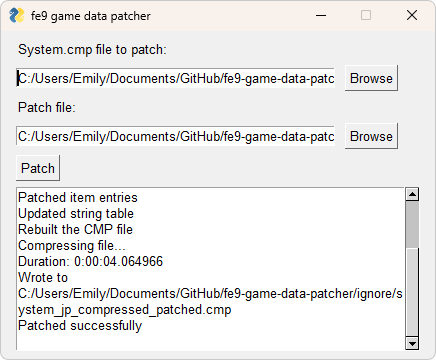
- Decompresses, modifies, and compresses system.cmp
- Displays data inside FE8Data.bin
- Supports JP, US, and PAL versions
- Written in Python
Motivation
In 2020, I was playing through Fire Emblem: Path of Radiance with a friend. I had already beaten it before, so I was spicing up the playthrough with Maniac mode, a difficulty option that’s so miserable it was removed in future releases and replaced with an easy difficulty.
Fire Emblem is a series that’s all about its characters. Path of Radiance has 43 playable ones, and the most you’re even allowed to deploy on a map is 19. Choosing your army’s composition is an important aspect of each playthrough, and everyone has their favorites.
I’m a big fan of Ilyana. Her one-note character trait is her voracious appetite. If she isn’t eating, she’s complaining that she’s hungry. In Radiant Dawn, she can be deployed on more maps than anyone else, including the two main characters. She’s a mage who doesn’t skip arm day, allowing her to use thunder magic without suffering a speed penalty. The basic thunder tome is the strongest of all the E Rank tomes, and it uniquely has 5 crit, allowing the use of a bug with forging weapons to underflow the critical rate to 255. Combine this with the skill Vantage, and Ilyana can decimate entire armies on enemy phase, making her the star of my particular playthrough.
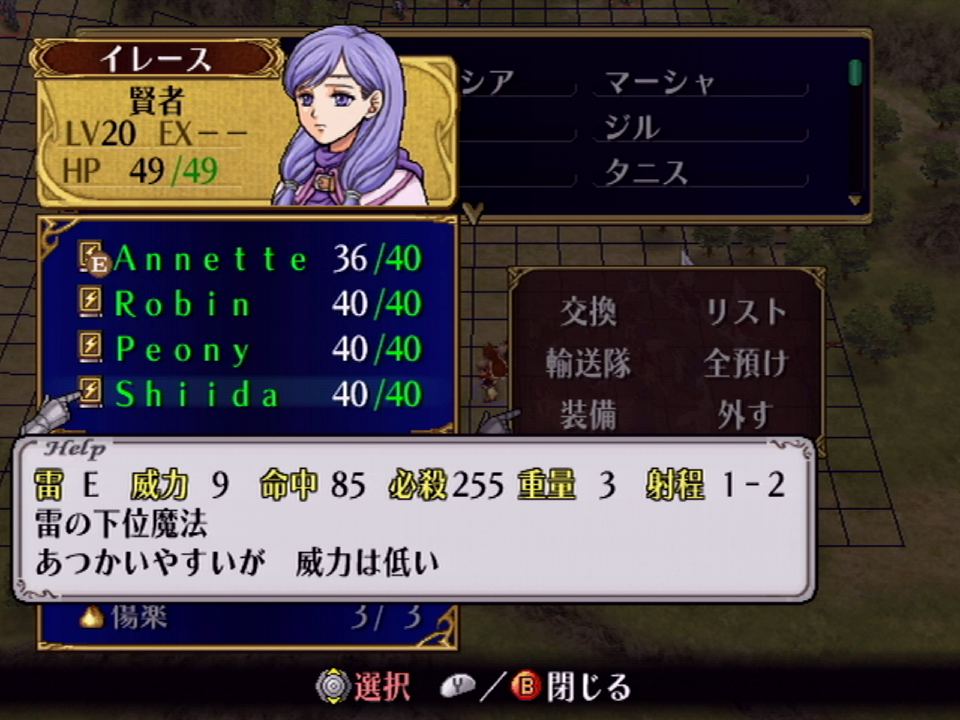
Ilyana, rolling up to chapter 26 with an inventory full of forged 255 crit thunder tomes.
Characters gain experience from battles and level up over the course of the game. After reaching level 21, they promote into a new class: gaining stats, access to new weapon types, and an upgrade to their model. Except Ilyana. Her promotion uses a slightly modified version of Calill’s model.
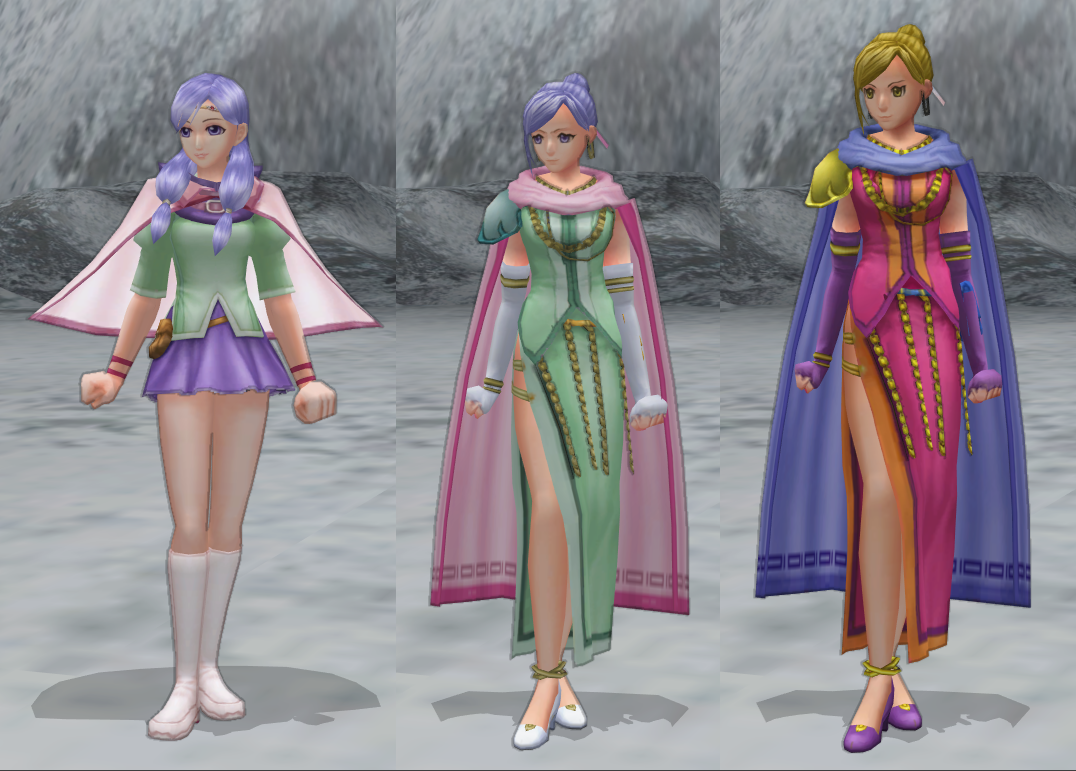
Left: Mage Ilyana, Middle: Sage Ilyana, Right: Calill
I always thought this was sorta lame. I also thought “How hard could it be to change it back into the mage model?”
Poking Around
It didn’t take much googling to come across a program titled “Jespoke’s FE9 Character Editor and Randomizer”. That was simple!
…But it only supports the US and PAL versions of the game. You see, my playthrough was on Maniac, which is exclusive to the JP version. And further searching found no tools that supported JP, so I decided to learn how the game files worked and do it myself.
Jespoke also wrote a forum post with some notes about the game’s data, so I started there. The data that specifies the models for each character is stored in FE8Data.bin, which lives inside system.cmp.
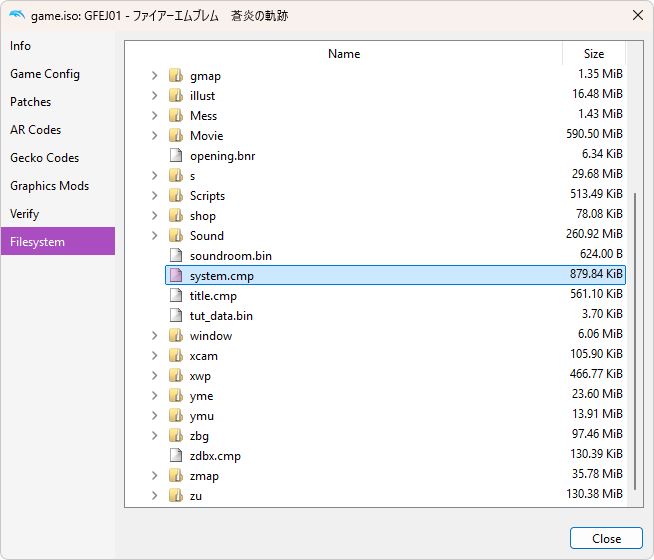
The first step was finding system.cmp. A Wii can be used to dump the game’s disc to an .iso file, and Dolphin can extract it from the disk’s filesystem.
Next, I needed to decompress it. Looking through the github repo for Jespoke’s editor, I found a descriptively named executable CompressLZ77.exe. I have no idea where this came from, and there’s no help command implemented. Reading through the file Compressor.java, it appears to take the file path to a .cmp file as an argument, and there are two modes: “c” for compress and “d” for decompress.
.\CompressLZ77.exe .\system.cmp d
.\system.cmp was successfully decompressed.
system.cmp was now 1.66 MB instead of 879 KB, progress!
.cmp files appear to be a proprietary format, so it was time to bust out the hex editor:
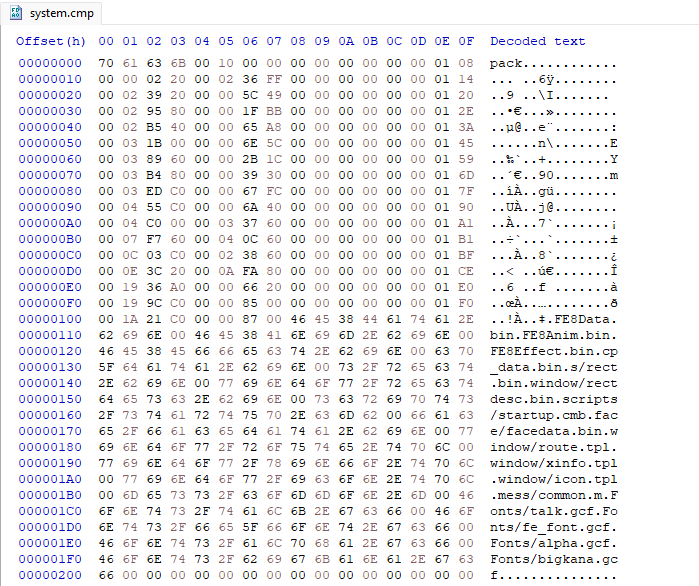
According to the notes, there’s an array of 0x10 byte long structs that define each file, starting at 0x8. Judging from the strings, FE8Data.bin is the first one:
/* 0x00 */ 0x00000000
/* 0x04 */ 0x00000108 // pointer to "FE8Data.bin"
/* 0x08 */ 0x00000220 // file start
/* 0x0C */ 0x000236FF // file size
Jumping to 0x220 gets us to FE8Data.bin
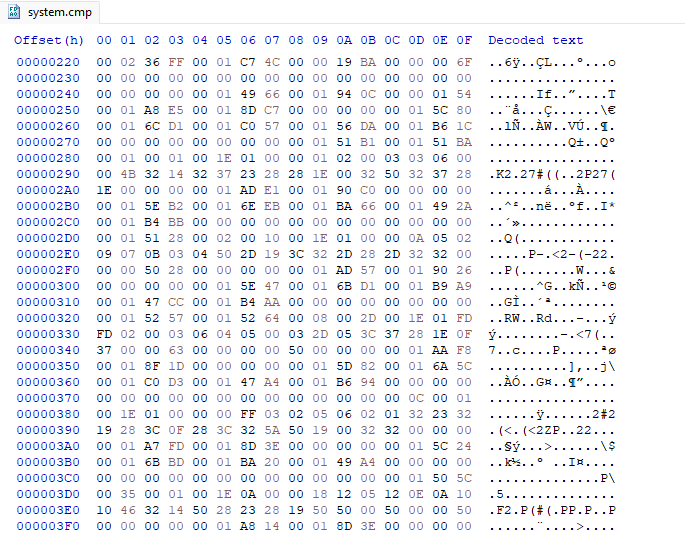
According to a different forum post, the number of character entries is at 0x2C, and the character data array starts at 0x30. The string pointers for the file table were relative to 0x0. but these ones are relative to 0x20 for some reason. And FE8Data.bin is 0x220 from the start of system.cmp, so you need to add 0x240 to each pointer to get to the correct string.
I needed to find Ilyana’s character data, but there are 340 entries in this table, and checking pointers by copying each offset into a calculator is not my idea of fun. I opted to write a Python script to parse everything and print it to the console:
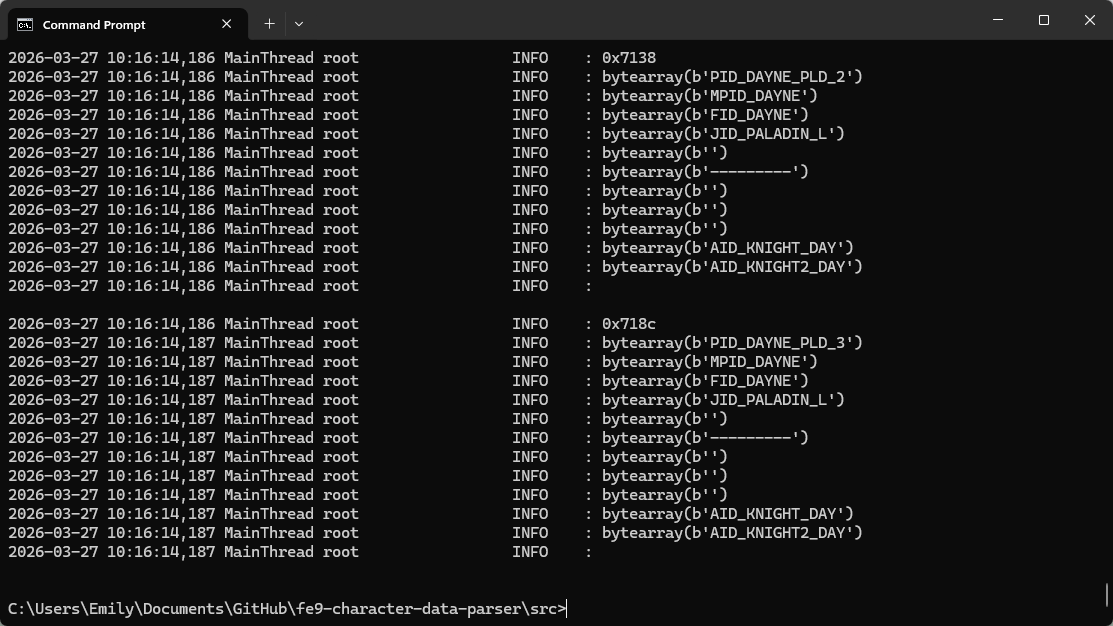
I output this to a text file and searched for “Elaice”, Ilyana’s name in the Japanese version:
0xcd0
bytearray(b'PID_ELAICE')
bytearray(b'MPID_ELAICE')
bytearray(b'FID_ELAICE')
bytearray(b'JID_MAGE/F')
bytearray(b'light')
bytearray(b'-----D---')
bytearray(b'SID_SHADE')
bytearray(b'')
bytearray(b'')
bytearray(b'AID_MAGEF')
bytearray(b'AID_MAGEF3_EL')
According to Jespoke’s post, what I needed was the two AID strings. The first one is for her base class, and the second is for her promoted class. In order to keep her mage model, both should point to “AID_MAGEF”, so I only had to copy the first pointer over the second one.
Testing this in-game involved compressing system.cmp again, and using a tool called GCRebuilder to modify the .iso file. But it worked! Sorta.
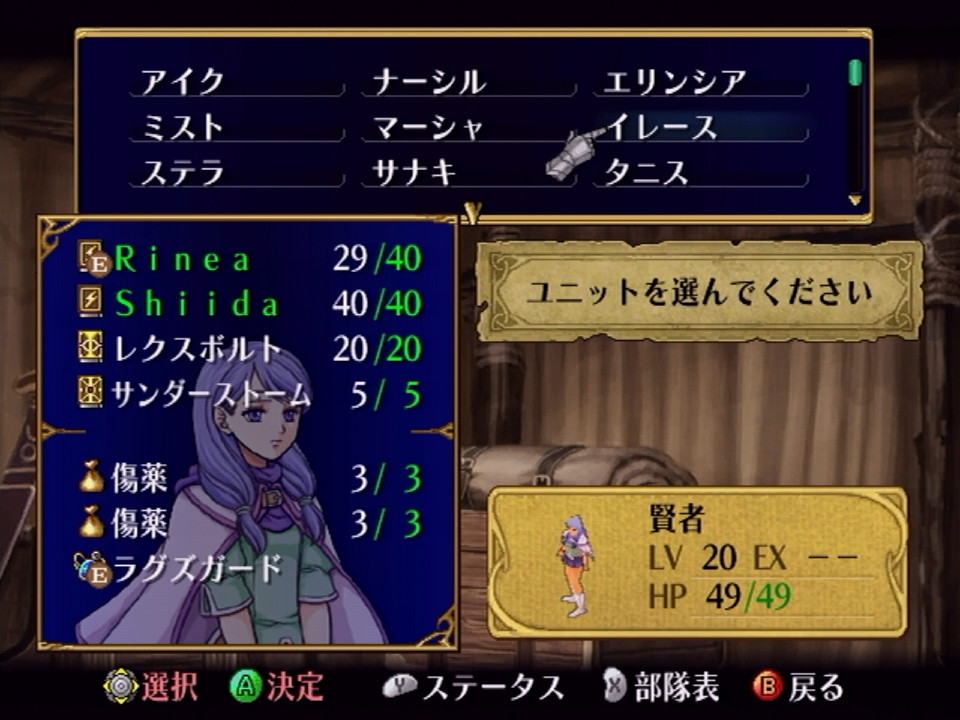
Battle Models
Characters in Path of Radiance have two sets of models:
- Map model: a low poly model which appears in menus and on the gameplay map. Model files are in the
/ymu/directory. - Battle model: a higher poly model used in combat animations. Model files are in the
/zu/directory.
Changing the AID string only changed the map model. It took a lot of trial and error to come to that conclusion. None of the forum posts I came across even implied that the battle models were separate. I tried looking through FE8Anim.bin, but all the models referenced in that are in the /ymu/ folder, so they’re map models. For a long time I thought that they were hard coded into the executable, which was going to be too much trouble to modify. But after taking a break and revisiting the game files, I had a breakthrough.
One type of file Path of Radiance uses are .dbx files. They are plaintext encoded in Shift-JIS, and are used to define data for various things. The format is fairly simple:
# number sign marks comments
# blocks are separated with curly braces
{
    # variable name, separated with a tab, then value
    class   ClassName # blocks are titled with class
}
According to Jespoke’s notes, they are “commented all over in Japanese”, which piqued my curiosity. You don’t really get to see comments when reverse engineering things. If you’re lucky, the developers might have left a linker map that lists all the function names, but C compilers only accept ASCII text, forcing developers to either use difficult-to-parse romaji or poorly translated English. It’s common to put actual Japanese in comments to clarify what variable and function names really mean, so I wanted to check it out.
There are a couple of standalone .dbx files, but a ton of them are bundled together into zdbx.cmp. 449 to be exact. Just for fun, after decompressing zdbx.cmp, I searched for “Elaice”. There were 4 hits:
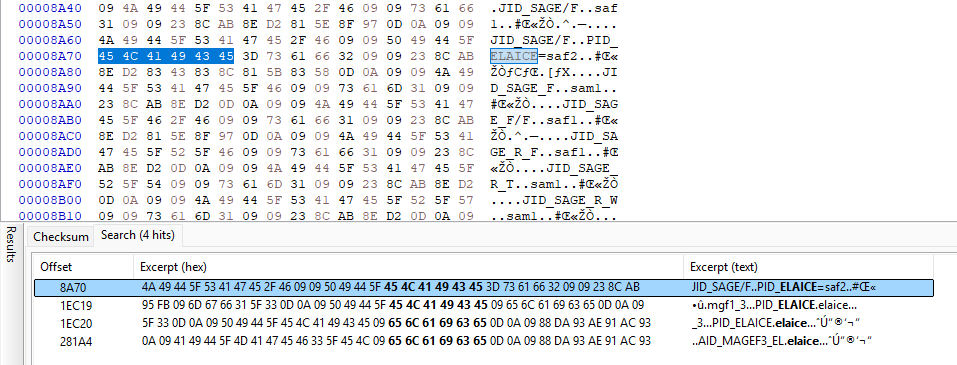
The most interesting one is the first one, PID_ELAICE=saf2. saf2 is the folder name for Ilyana’s sage model! I immediately overwrote saf2 with mgf1, her mage model folder name and tested in game:
The file this was in turned out to be jobList.dbx:
#
#		ジョブID→キリバトモデルID変換
#
{
		class JobList
		JID_RANGER		reng		#レンジャー
		JID_TIAMAT/F		timt		#ティアマト
		JID_ARCHER		arc1		#アーチャー
		JID_ARCHER		PID_LOFA=arc2		#アーチャーヨファ
		JID_ARMOR		amr1		#重歩兵
		JID_ARMOR		PID_CHAP=amr2		#重歩兵チャップ
		JID_ASSASSIN		asm1		#アサシン
		JID_ASSASSIN/F		asm2		#アサシン/女
		...
		JID_SAGE/F		saf1		#賢者/女
		JID_SAGE/F		PID_ELAICE=saf2		#賢者イレース
The top comment is “Job ID → Battle Model ID”. I’m not actually sure what キリバト is but it seems like an abbreviation of a word that starts with キリ and battle. This file is responsible for specifying which battle model to use for each class in the game. These can be overridden for certain characters by specifying a PID, which is how Ilyana uses a separate model from Calill.
Problems
However, there is a reason why Ilyana uses Calill’s model. Unlike later Fire Emblem games, animations aren’t generic; they’re locked to each model. Models only have animations for the weapons that class can use, so a paladin can’t play a tome animation and a mage can’t play an axe animation. Ilyana has the option of gaining access to staves or knives on promotion, and her mage model doesn’t have animations for either.
If the map model doesn’t have the right animation, it will try to play a different one as a fallback:
Ilyana, healing an allied unit by slamming into them at full force.
Attack animations aren’t as amusing unfortunately. They also loop for an excessive amount of time, which isn’t great for playability. And if a battle model doesn’t have the correct animation, the game will crash. So if you want to replicate this yourself, I recommend giving Ilyana staves on promotion.
Going Further
With both of Ilyana’s models replaced, I had accomplished my original goal. But I wanted to see what else was in the game’s files, so I started looking through the rest of FE8Data.bin. In addition to characters, there are also tables for classes, items, skills, and some other miscellaneous data like unit affinities, terrain attributes, chapter definitions, etc.
I soon became overwhelmed with all this data, and ended up making a tool to display it:
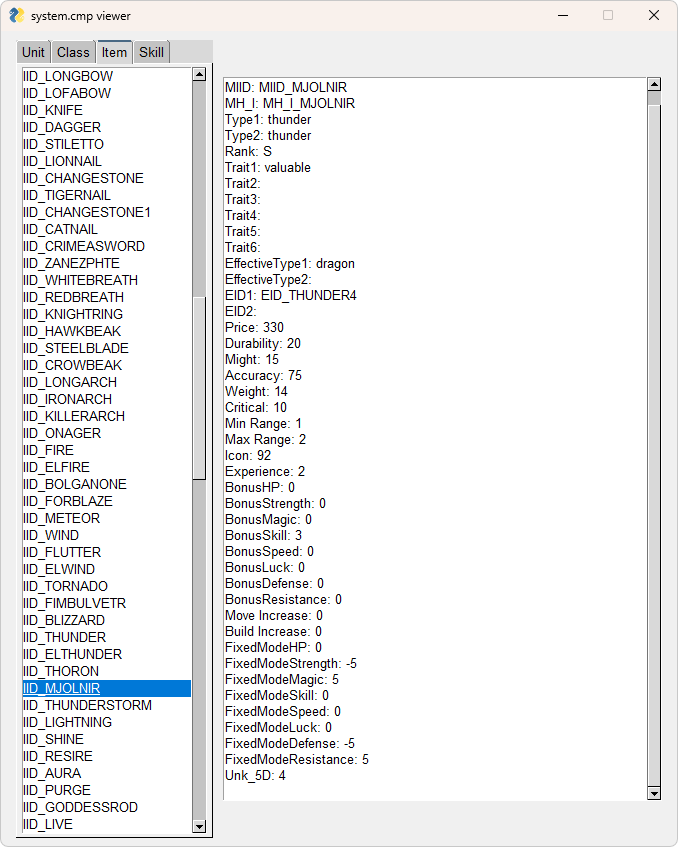
For the user interface I used PySimpleGUI. It was very simple to get set up, but Python has a problem where distributing your programs as an .exe for end users is difficult, so I probably wouldn’t use Python for tools in the future.
Manually editing the file with a hex editor was also tedious, so I created a tool to automate it:
Patches are specified in an xml file. For my playthrough, this is what it looked like:
<gamedata>
    <unit id="PID_ELAICE">
        <AID2>AID_MAGEF</AID2>
    </unit>
    <unit id="PID_RIEUSION">
        <MPID>MPID_LEARNE</MPID>
        <FID>FID_LEARNE</FID>
        <AID1>AID_BIRDEGF</AID1>
    </unit>
    <unit id="PID_CALILL">
        <MPID>MPID_SANAKI</MPID>
        <FID>FID_SANAKI</FID>
        <AID2>AID_SANAKI_2</AID2>
    </unit>
</gamedata>
In addition to changing Ilyana’s promoted model, I had a little fun:
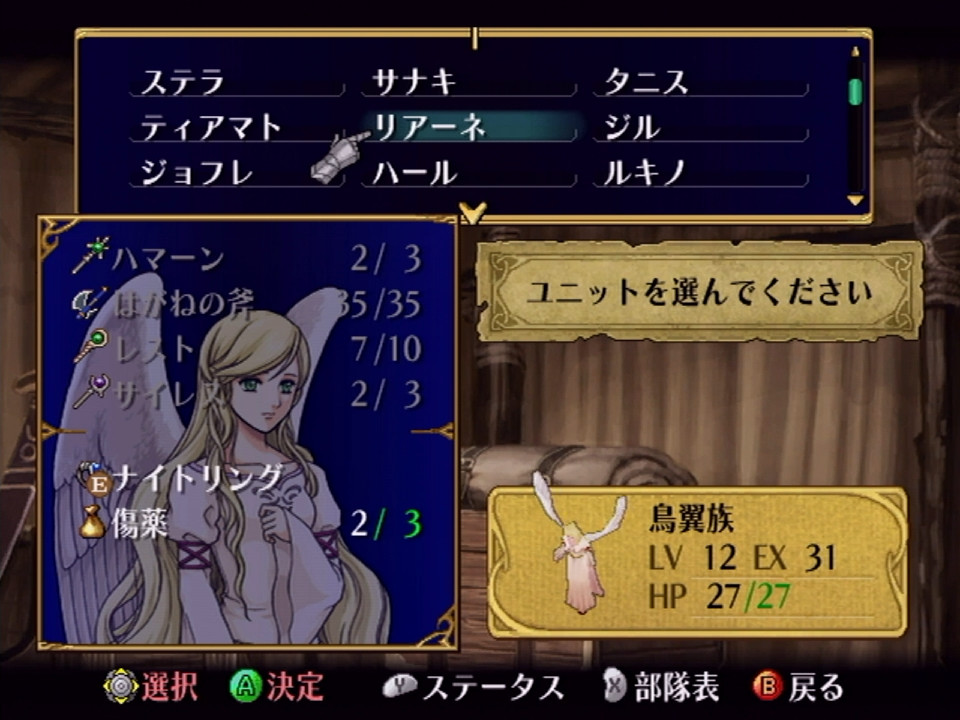
Reyson was replaced with his sister Leanne, who normally only shows up in cutscenes and isn’t a playable character. Replacing the MPID string changes the name to Leanne in the UI, and replacing the FID string changes the portrait texture.
I also replaced Calill with Sanaki:
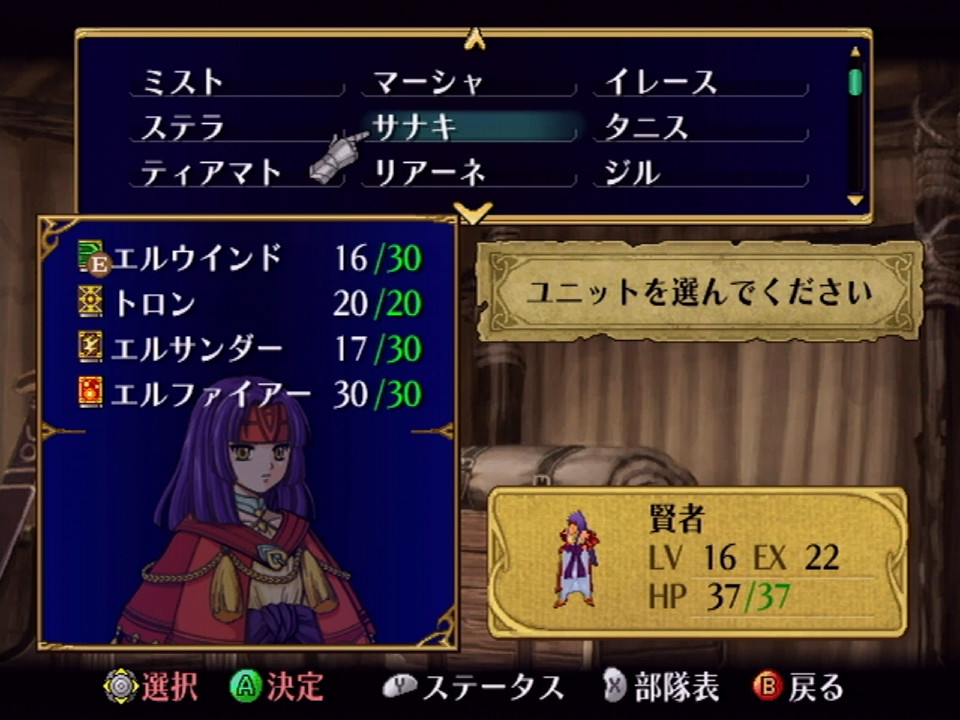
This was a little more involved. Leanne is a dancer and lacks the ability to attack, so I didn’t need to worry about this with her, but Sanaki needs attack animations to function. She has a map model used in cutscenes, ymu/sa_chibi, but these lack battle animations. However, there is an unused map model for Sanaki, ymu/sa_deka, which does have battle animations left over!
This is actually a taller version of her, it’s likely based on this concept art of Sanaki as an adult.

I knew that the map models were defined in FE8Anim.bin, so in order to find the AID string for this model I searched for “deka”. The pointer for “sa_deka/” is right next to a pointer for “AID_SANAKI_2_N”.
Another issue was that the strings “MPID_SANAKI”, “FID_SANAKI” and “AID_SANAKI_2” aren’t actually in FE8Data.bin like Leanne’s were. I had to manually add them to the end of the file, which makes FE8Data.bin larger, which made all the file definitions at the start of system.cmp inaccurate. I ended up writing a .cmp file class that stores all the header data and a function to rebuild the list of files when patching it.
Compression
I was also curious about how the compression worked, and CompressLZ77.exe felt like a black box. Also, it took 26.924 seconds to compress system.cmp, a downright eternity.
The gist of LZ77 compression is that repetitive data is replaced with instructions that say “go back X bytes and copy Y bytes”.
This particular format has a flag byte that proceeds 8 pieces of data. Each bit of the flag byte specifies if that data is an uncompressed byte (0), or a compressed section (1).
A compressed section is stored as 2 bytes. A 12 bit integer stores “how many bytes to go back”, and a 4 bit integer stores “how many bytes to copy”. This starts counting at 3.
At first I tried implementing compression in Python, but I found that it was really slow. I think the way I was reading data involved a lot of copying. I tried using memory views to avoid this, but there wasn’t much improvement. Eventually I came across a repo for a python module that implemented the compression code in C, stating they saw a huge speed improvement with it. I tried that approach and got my compression time down to 4.047 seconds!
Links
- FE9 Character Editor and Randomizer by Jespoke
- [FE9] File structure notes by Jespoke
- system.cmp notes by Kirb
- PyFastGBALZ77 by LagoLunatic